
Create an account
Sign up
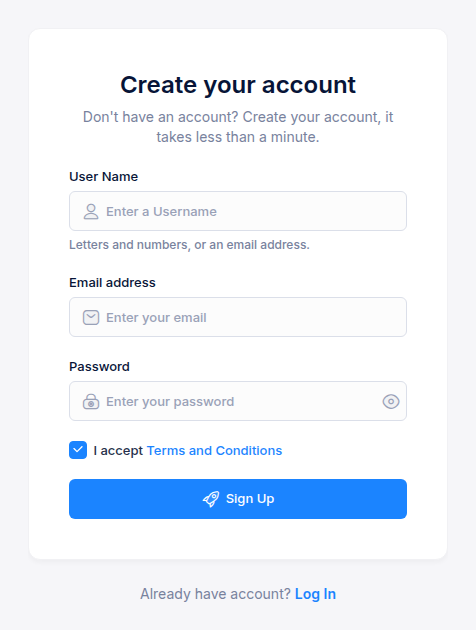
- Open the sign-up page and enter a user name (letters and numbers, or an email address), your email address and a password.
- Accept the terms and conditions and click Sign Up.
- Open the verification email and click its link. Your account becomes active and you can sign in.
If you were invited to a team, you already have an account: your user name is your email address, and the invitation email contains a temporary password. Sign in and change the password from Profile → Security.
Sign in
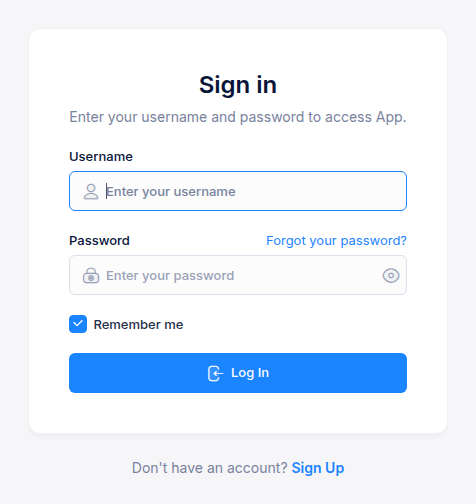
Enter the user name you signed up with and your password, then click Log In. Tick Remember me to stay signed in on this browser.
Forgot your password
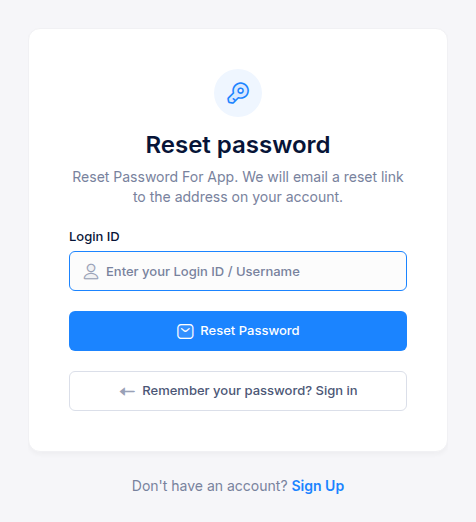
- On the sign-in page, click Forgot your password?
- Enter your user name and click Reset Password.
- Open the email and follow the link within 10 minutes to set a new password.
Next step
Find your way around the console, or go straight to Launch your first cluster.