
Projects
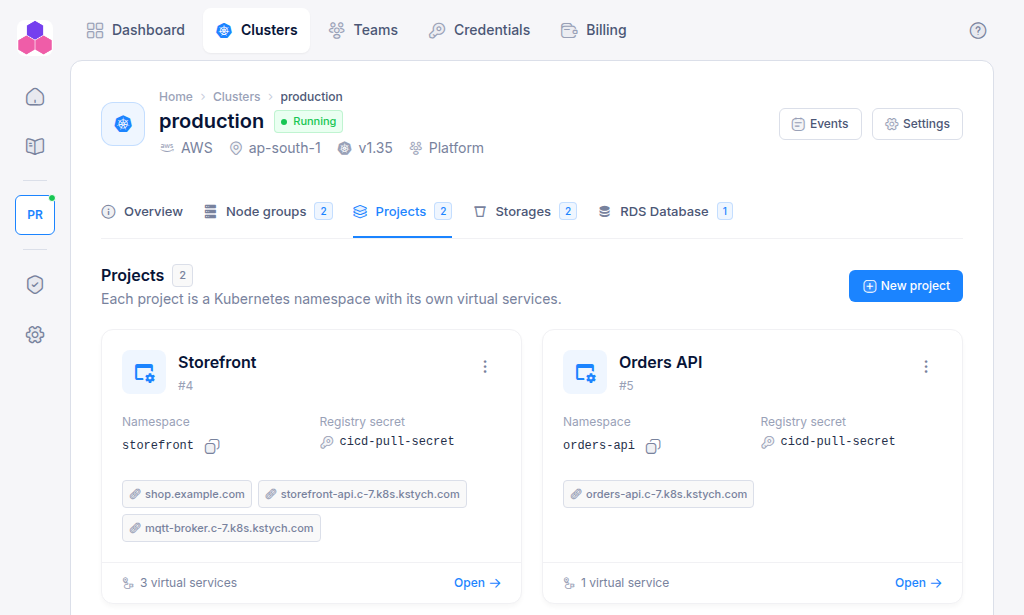
A project is a Kubernetes namespace on a cluster, prepared for your application. When you create one, the console creates:
- the namespace,
- a registry secret named
cicd-pull-secretin it, so workloads in the namespace can pull images from the cluster's private Docker registry.
Point your CI/CD deployment at this namespace and reference cicd-pull-secret as its image pull secret. See Deploy with pipelines.
Create a project
- Open the cluster and select the Projects tab.
- Click New project.
- Enter a project name (any display name) and a namespace.
- Click Create project.
The namespace must be a valid Kubernetes name: at most 63 characters, lowercase letters, digits and hyphens, starting and ending with a letter or digit. For example storefront or orders-api.
You need Admin access to the cluster's team, and the team owner's plan must have room for another project.
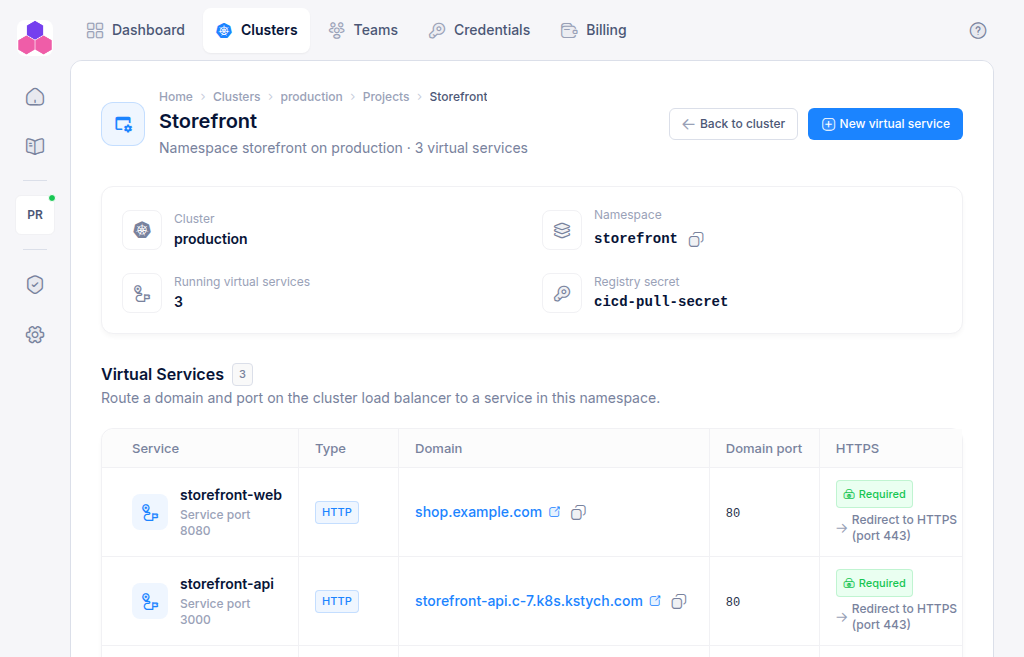
The project page
Click a project card to open it. The header shows the cluster, the namespace (with a copy button), the number of running virtual services and the registry secret name. Below it is the list of the project's virtual services. Click New virtual service to expose an application.
From the project card's ⋮ menu you can also Copy namespace.